Advanced
🏝️ Dynamic Island
The dynamic island is the control bar at the bottom of the canvas page. It stays hidden until your cursor reaches the bottom edge of the screen, and every canvas action starts here.
Search, mute and maximize a single window without leaving the keyboard. Press Ctrl + / any time for the cheat sheet, or click “?” on the dynamic island.
Ctrl + / opens and closes the shortcut cheat sheet; Ctrl + K (or Alt + S) focuses the search box on the dynamic island; Ctrl + M toggles mute all; Ctrl + S opens Favorites Manager → Manage Layouts (the cheat sheet calls it a quick save, but it opens the management page — save layouts with “Save Current Layout” in the layout list); Alt + 1–6 and Alt + 9 apply the layout with that many slots from the layout list — with 4 streams, Alt + 4 gives a 2 × 2 grid. With no chat on the canvas it uses the “Stream Only” tab; if chat windows are open it keeps them by using the matching “Chat Included” layout (or the shared-chat layout when one chat is shared), and only falls back to “Stream Only” where no such layout exists — per-stream chat has no 5- or 9-slot layout, and shared chat only covers 2–4 streams. If you have more streams than slots, only the first ones stay on the canvas and the rest come back when you switch to a layout with enough slots; if you have fewer, empty windows fill the gaps. While the cursor is in a text box every shortcut steps aside; press Esc to leave the box first.
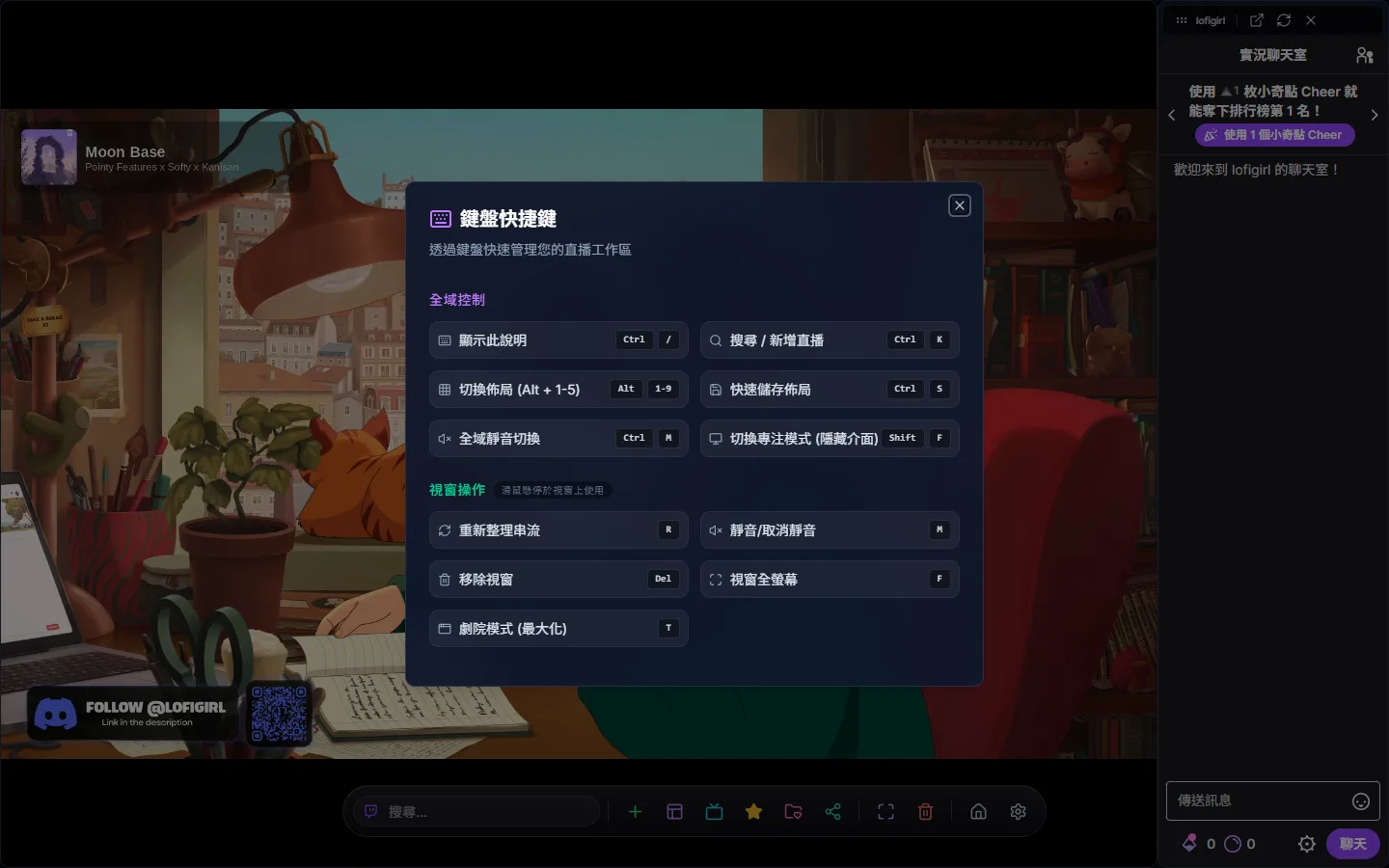
Hover any window and act on that stream without clicking: R reloads, M toggles mute, F puts that stream into browser fullscreen (press again to leave), and Delete or Backspace removes it. Note that removing takes out the whole stream together with its chat, and pressing F while hovering a chat window makes that stream’s video go fullscreen.
Hover a window and press T (or “Maximize (T)” on its toolbar) and it fills the whole screen while the other streams keep playing behind it, with audio unchanged. The dynamic island is covered too, so press T, Esc or “Restore (T / Esc)” on the toolbar to get back to your layout. Handy when you want to focus on one view at the key moment of a match.