
Watch Multiple Streams at Once
A free multistream viewer for Twitch and YouTube — esports multi-POV and VTuber collabs on one screen.
Free · No sign-up · Up to 16 streams at once · Per-stream volume & multi-chat
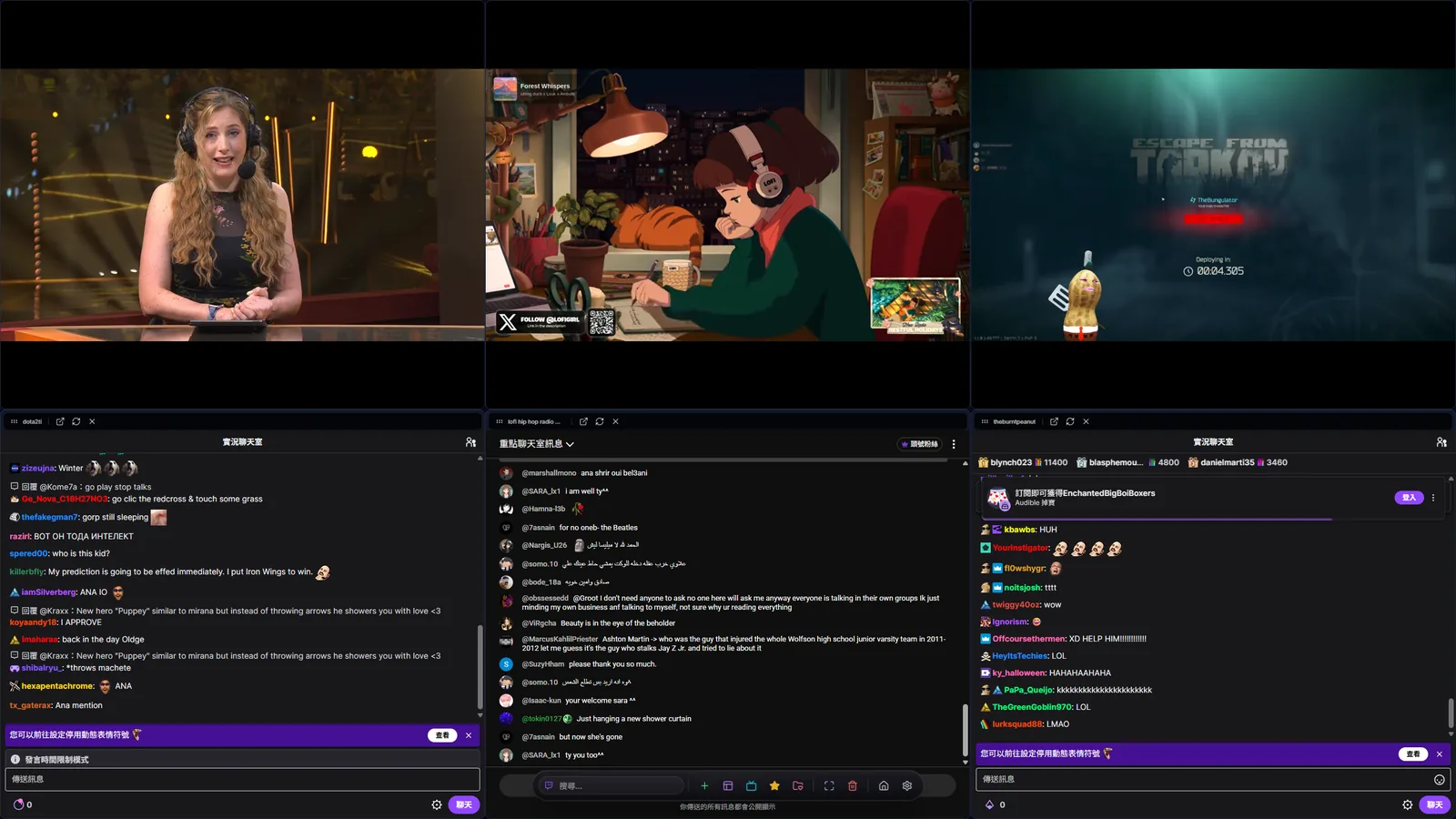
What is MultiStream Hub?
MultiStream Hub is a free, browser-based multistream viewer that lets you watch multiple streams at once — up to 16 Twitch and YouTube live streams on a single screen, with no account or download required. Add streams by pasting a channel URL or searching for a streamer, then arrange them with automatic grid layouts or drag, resize, and pin each window freely in canvas mode. Built-in chat integration displays multiple Twitch and YouTube chat rooms alongside the video players, while independent volume controls let you focus on one voice without losing sight of any stream. A favorites system with live-status detection, five interface languages (Traditional Chinese, English, Japanese, Korean, and Simplified Chinese), and support for desktop and mobile browsers make it a practical dashboard for esports tournaments, VTuber collabs, and multi-channel events.
Multi-View
Support for multiple Twitch and YouTube streams with Picture-in-Picture and flexible scaling, so you never miss a moment from any streamer.
Unified Chat
Quickly switch between chat rooms using tabs, or open multiple chat windows simultaneously to stay engaged in every conversation.
Flexible Layout
Offers both auto-grid and free-drag modes. Find the perfect configuration whether you are using dual monitors or ultrawide screens.
High Performance
Built on a lightweight architecture to minimize resource usage, ensuring smooth playback even with multiple high-quality streams.
The Ultimate Tool for Every Scenario
Esports Monitoring
Watch the main broadcast alongside multiple player POVs. Grasp every detail of the battlefield and never miss a key play.
Massive Collabs
When your favorite streamers collaborate, no need to juggle tabs. Tile all perspectives at once for the complete interactive experience.
Information Multitasking
Watch financial news while keeping an eye on breaking updates, or pin a stream window while you work.
Get Started in 3 Easy Steps
Input URL
Paste Twitch or YouTube links, or use the search function.
Customize Layout
Drag and drop windows to adjust size and position.
Enjoy
Watch multiple streams at once and never miss a moment.
Supported Platforms
Seamlessly integrated. No more tab switching. Control everything from one interface.
Privacy First & Local Storage
Your data stays with you. MultiStream Hub is a client-side only application. Your favorites, settings, and watch history are stored locally in your browser. We do not collect your personal data. No registration required.
Powerful Favorites & Import
Import your follow list from Twitch with one click. Create custom groups to organize your favorite streamers.
- Twitch Follows Import
- Custom Grouping
Frequently Asked Questions
Experience Custom Multi-View Now
Simple, intuitive, no installation required. Start building your interface today.
Get Started