Advanced
🏝️ Dynamic Island
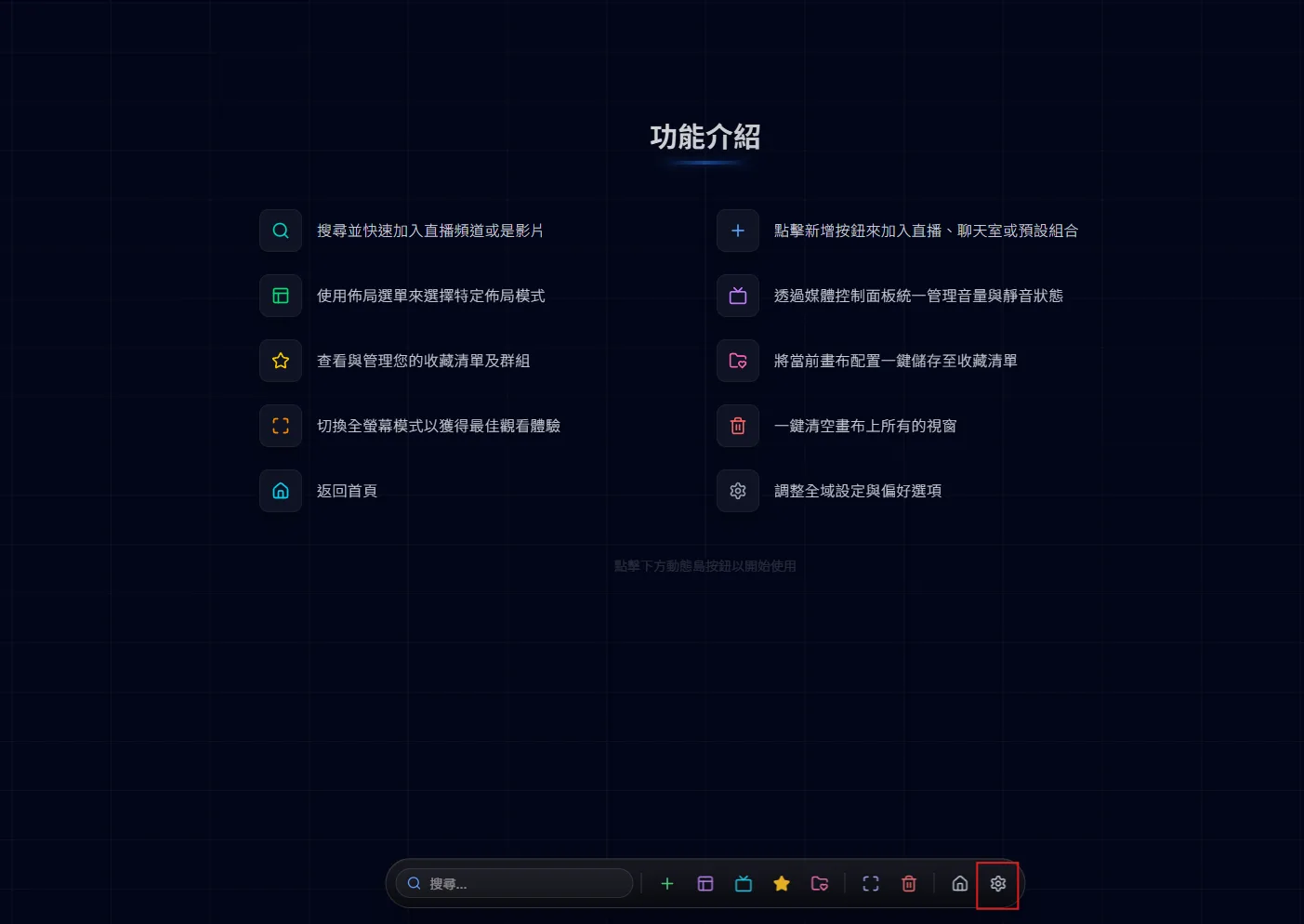
The dynamic island is the control bar at the bottom of the canvas page. It stays hidden until your cursor reaches the bottom edge of the screen, and every canvas action starts here.
Customize your experience and tune MultiStream Hub to your needs.
The gear on the dynamic island opens Favorites Manager → Settings. Under Appearance you can switch between Light, Dark and System themes (Dark by default), pick the Dynamic Island Style (Original or Edge Dock), and choose the interface language (繁中, 简中, English, 日本語, 한국어). If you have never picked a language, your browser language is used, falling back to English.
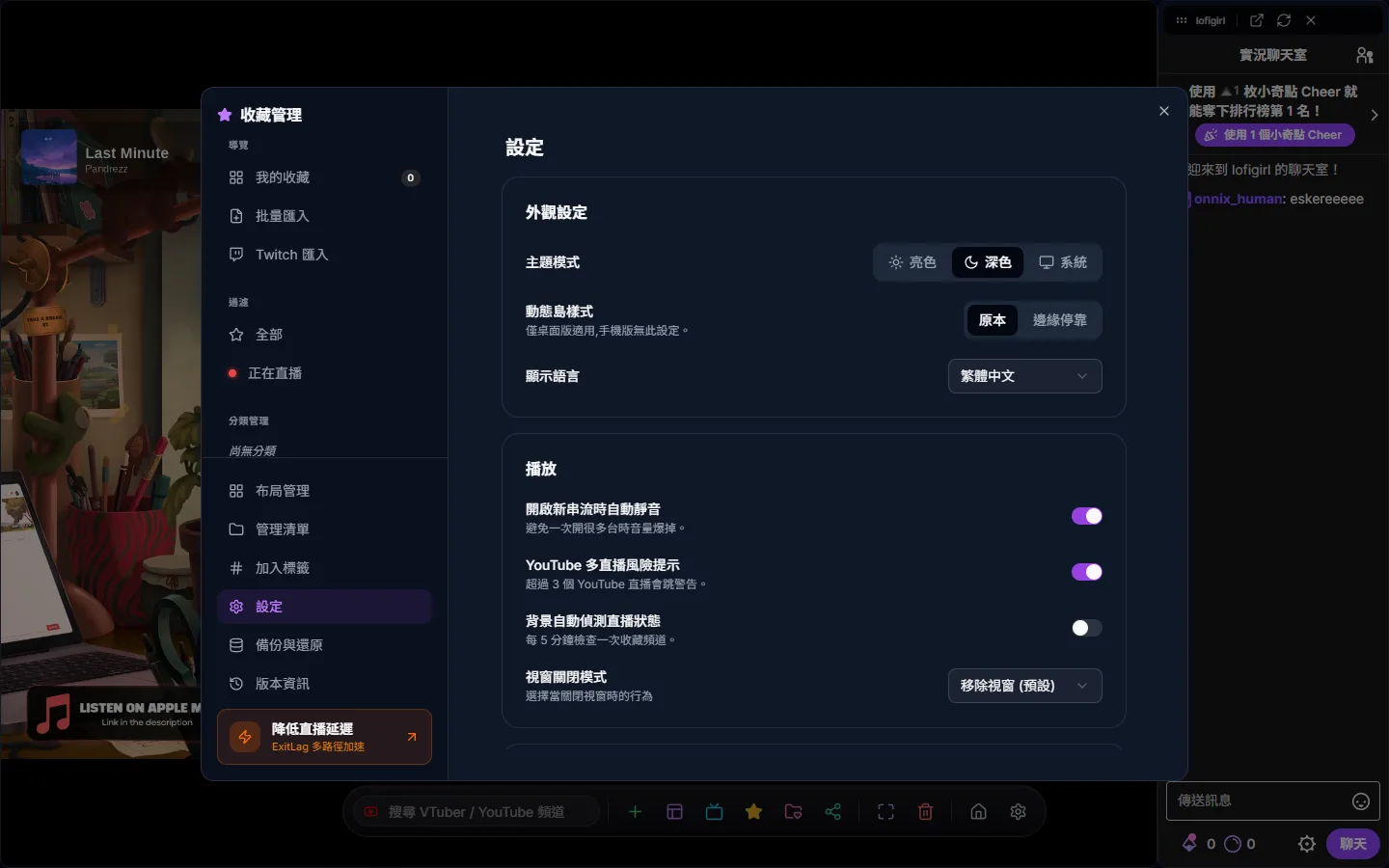
“Mute new streams on open” is on by default so several streams added at once do not talk over each other; new streams also start at volume 50. The YouTube multi-stream warning setting relates to the notice shown when 2 or more YouTube streams play at once; turn it off and the notice no longer appears. “Auto-detect live status in background” is off by default; turned on, it checks your favorites every 5 minutes. With it off, favorites are still checked when you open the site, when you enter the canvas and every 25 minutes. Close Window Mode decides whether closing a window removes it or leaves an empty window so you can switch channels straight away.
Favorites, lists, tags and settings are stored in this device’s browser (with an automatic copy in the browser’s IndexedDB as a fallback); there is no cloud sync. Favorites Manager → Backup & Restore downloads a JSON backup file. Importing it on another device OVERWRITES all existing data there, and the page reloads when it finishes. The backup also includes your custom layouts (overwritten on import; older backup files without them leave your current custom layouts untouched), but not the interface language. To wipe your data completely, go to Favorites Manager → Settings → Data and press “Clear”: it deletes both localStorage and the IndexedDB backups, then reloads. Clearing only localStorage from the browser brings favorites back from IndexedDB on your next visit.
Importing your Twitch follows lives in Favorites Manager → Twitch Import and is a one-time import, not an ongoing sync. Live detection uses the site’s own Twitch lookups and does not need you to log in to Twitch. See the Favorites guide for the steps.
The Settings tab on phones only has a light/dark theme switch, the language and a few links; the playback options (auto-mute, background detection, close window mode) are desktop only.